For the people who sign

Your team signs the judgment calls.
Everything else just runs.

The operator console is where an autopilot's work lands for a named, qualified human — the coder, the underwriter, the BSA officer, the attorney of record. Every case arrives with the AI's recommendation, its confidence, and the evidence behind it. Signing executes; rejecting stops it. Nothing irreversible runs without a signature.
The inbox

One queue. Everything that needs you, nothing that doesn't.

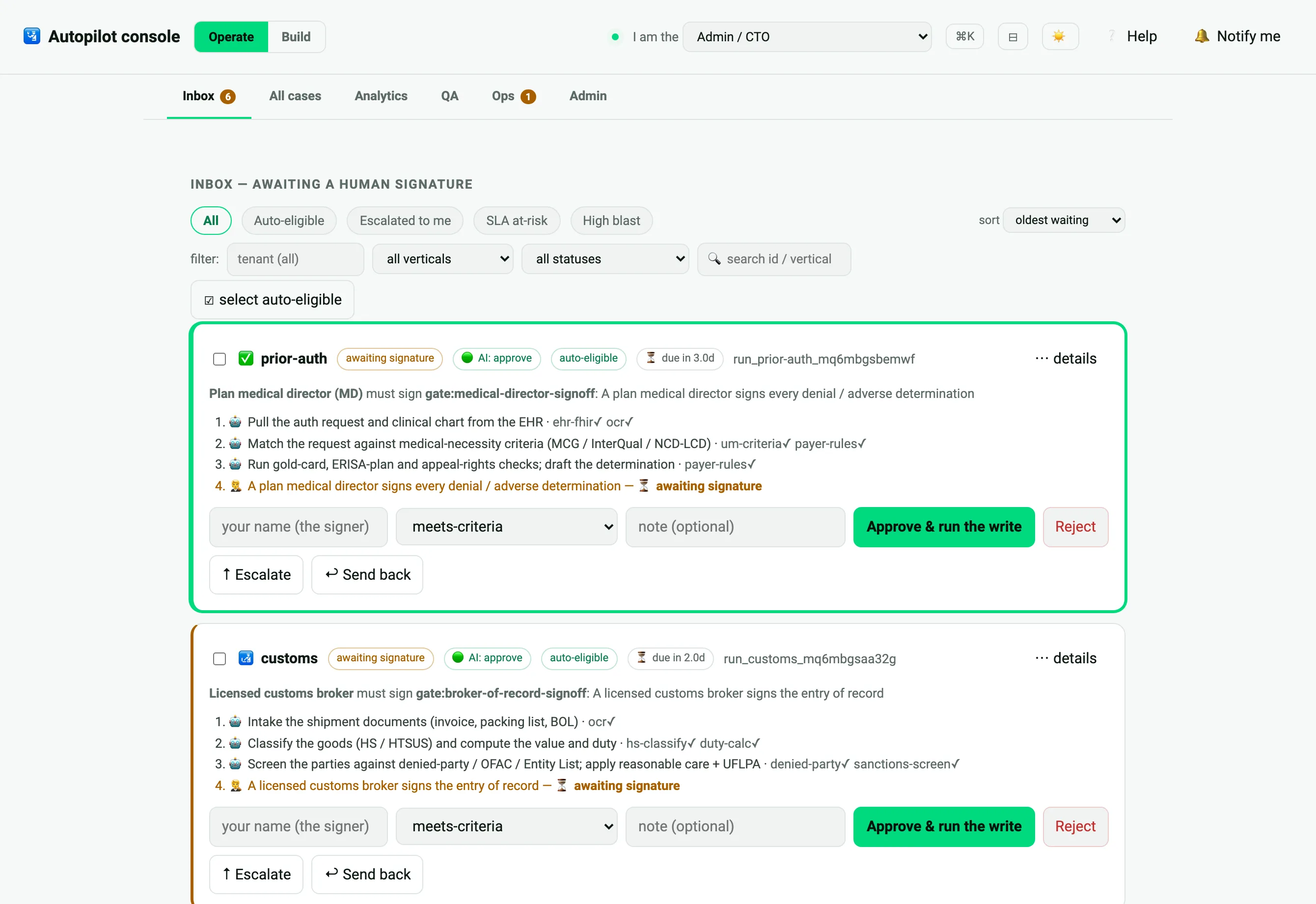
Cases the autopilot clears on its own never reach you. What does reach you waits with an SLA clock, sorted by risk — and every decision you make is recorded in a tamper-evident audit trail with who signed, what, on what evidence, at what confidence.

Operator console inbox — cases awaiting a human signature with AI recommendation, confidence and SLA

The case

Everything a signer needs, in one panel

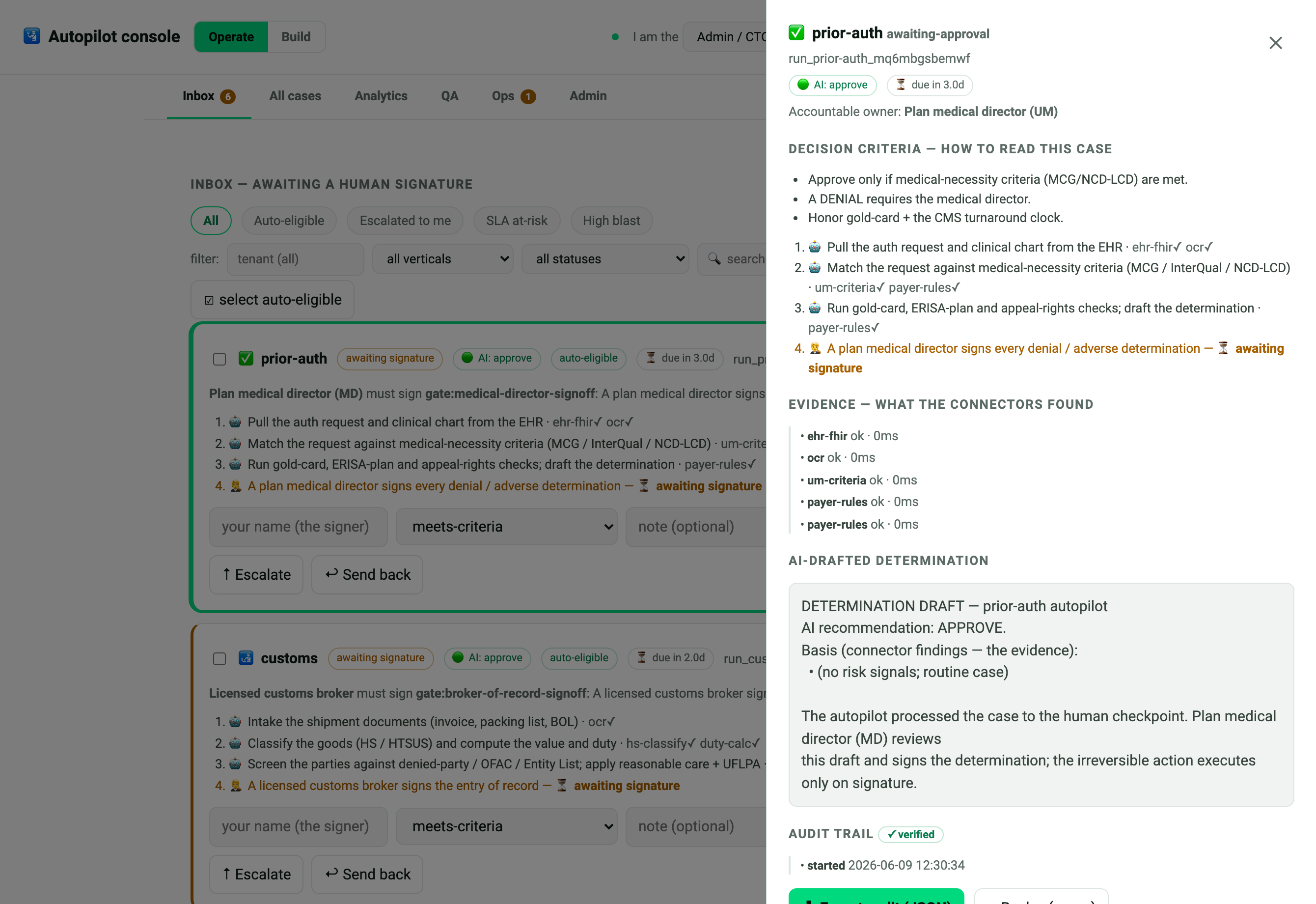
Case drawer — decision criteria, connector evidence, AI-drafted determination, audit trail

The case drawer — the decision criteria (your SOP), the connector evidence, the AI-drafted determination, and the audit trail. Read, decide, sign.

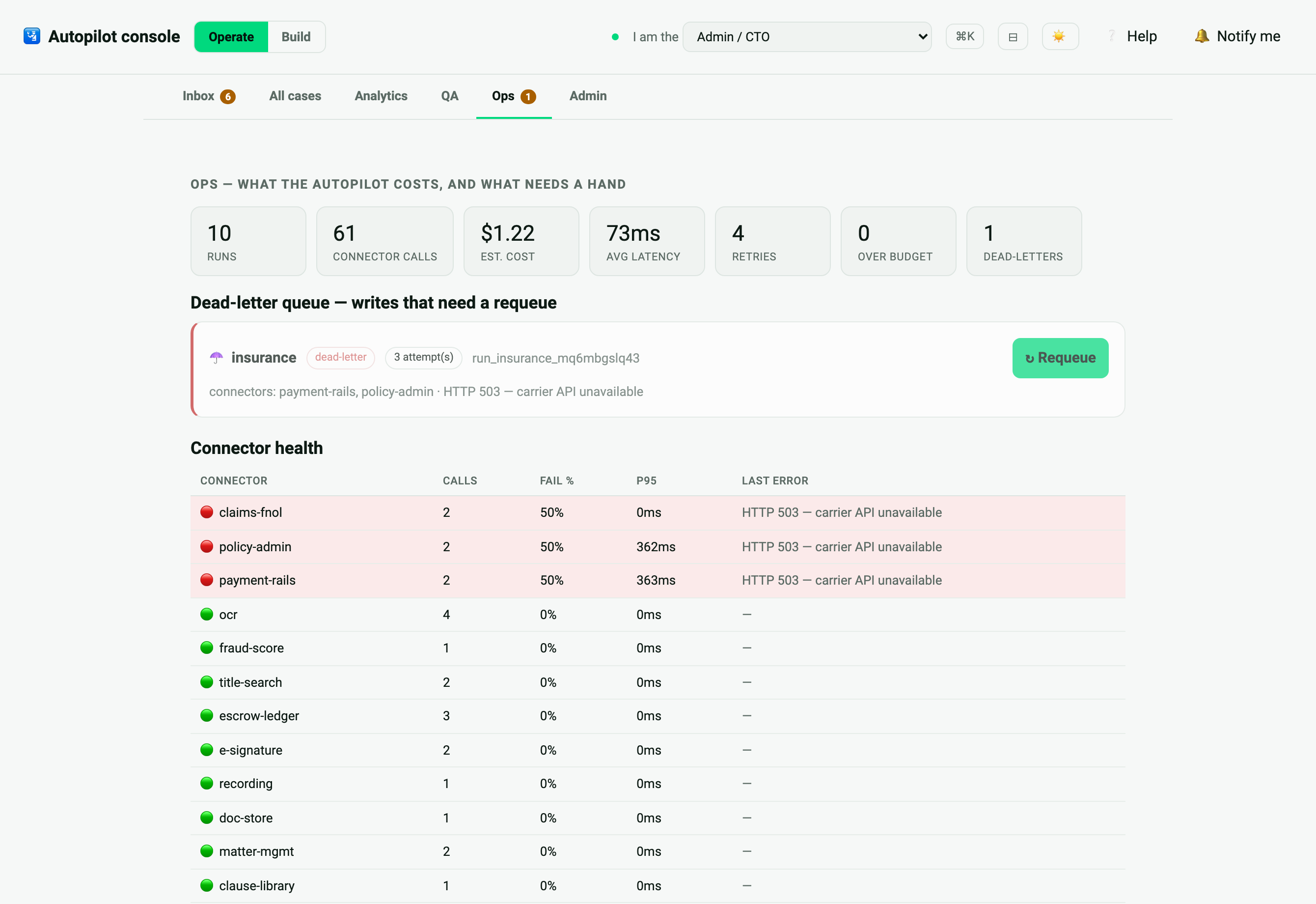
Ops tab — metering, connector health, dead-letter queue with requeue

The ops view — for leads: cost & latency metering, connector health, QA sampling, and a dead-letter queue with one-click requeue.

Onboarding

Invite-only. Role-locked. Your workspace only.

You get a link, not a login form

Your administrator sends an invite link. Opening it signs you in with your role and workspace already set — there is nothing to configure and no password to manage. Links expire after 7 days.

Your role is the boundary

An underwriter sees underwriting cases; a BSA officer sees screening cases. The role on your invite decides what reaches your queue and what your signature can execute — it can't be changed from the browser.

Your workspace is isolated

You act strictly inside your own workspace (tenant). Cases from another workspace are invisible to you — and the server refuses your signature on them outright.

No developer tooling in sight

The console is its own surface: the build-side boards, agents and pipelines aren't dimmed or hidden — on this surface they don't exist. Your company's name and color on top, if your admin sets them.

Every decision is on the record

Who signed, what, when (date and time), on what evidence, at what confidence — in a tamper-evident audit trail your auditors can verify.

For your admin

Standing it up is one command

The console runs from the same engine the autopilot was built with — as its own invite-only surface, hostable behind your domain:

npx great-cto console --port 8788          # operator console only — no dev board on this surface
npx great-cto console --bind 0.0.0.0       # hostable (tunnel / console.yourcompany.com)

Then invite operators from the console's Team panel — one link per person, role and workspace pre-set. The build side lives here →